Selecting a Movie to Watch
With BlackBerry OS prior to version 2.0.1.358, the "Copy Link" feature for selecting movies doesn't work consistently. Therefore, please ensure that you have upgraded your OS. To do that, click the gear icon in the top right corner of the home screen, select "Software Updates" in the left-hand column, and then click "Check for Updates". If an update is available, please download it before purchasing and trying Flix.
Click the "Browse Movies" button to launch the BlackBerry web browser, which will load the netflix.com website.
If you receive a warning about "You need to enable cookies in your web browser", just click the "I've enabled cookies" link. I'm not sure why this message appears for some users, even if cookies are enabled. (My best guess is that it's a glitch with the Netflix site in conjunction with the BlackBerry web browser)

If you haven't already, sign in to the Netflix website by clicking the "Member Sign In" link top right.
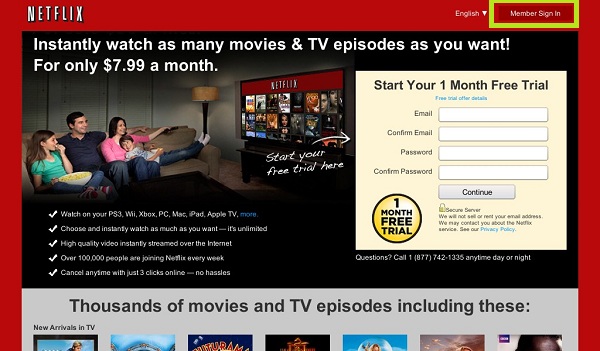
The technique for selecting a movie is unfortuately quite finicky. While I hope to improve this process in future versions, it is important to read the following carefully:
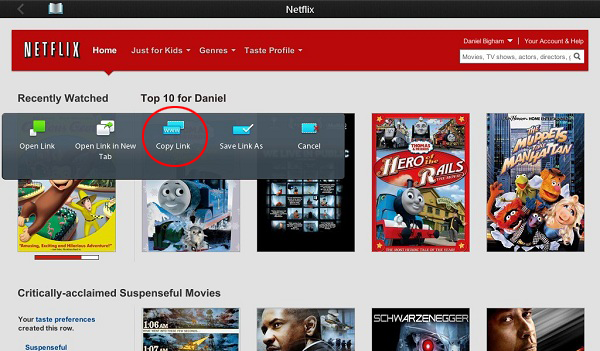
Once you have located a movie to watch, hold your finger down on the movie thumbnail. Ideally, a popup menu will appear. However, what typically happens is that the movie will appear to be selected while your finger is held down, but will then deselect after a couple of seconds. If this happens, lift your finger and then touch and hold your finger on the movie a second time, or possibly a third time. Eventually you should see a popup menu allowing you to choose "Copy Link". See the following screenshot for what to look for. (Future versions of the app will likely solve this disappearing popup menu issue by simply allowing you to touch the movie, but this requires RIM to build in support for embedding a web browser in apps built with their Native Development Kit) Sometimes if you hold your finger down on a movie, the web browser will interpet that as a "click" and will open a page that tells you that playback isn't supported on your device. If that happens, simply click the browser's back button and try again.
IMPORTANT: You must now return to the Flix app. You can likely do this by swiping in from the left bezel of the BlackBerry.
If you were successful at copying the link, there should now be a "Start Movie" button:
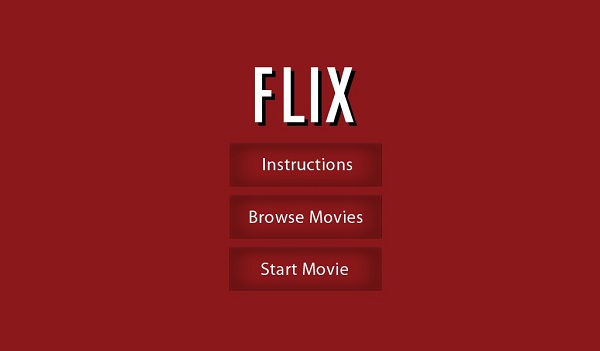
Simply touch the "Start Movie" button to begin playback. The screen should change to say "Starting movie..." and should buffer for 10 seconds before starting.
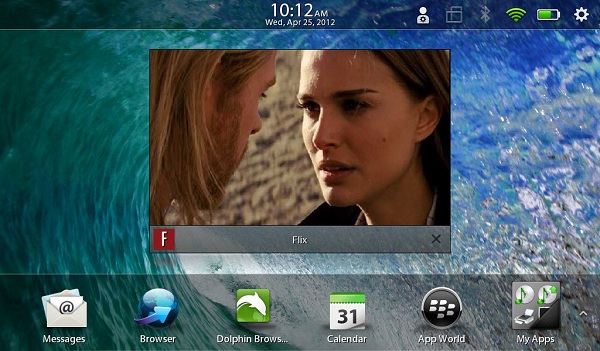
Enjoy!